4. Search improvements and search rules (Pro)
On this page: You look at your search data and fix searches that find nothing, or results shoppers rarely choose. We suggest a few minutes once a week.
"Search improvements" in the app has two tabs, "Suggestions" and "Report". Search rules are under "Settings → Search rules".
Read the report (all plans)
Every plan shows the basic search numbers. Free covers the last 7 days, and Basic the last 30 days.
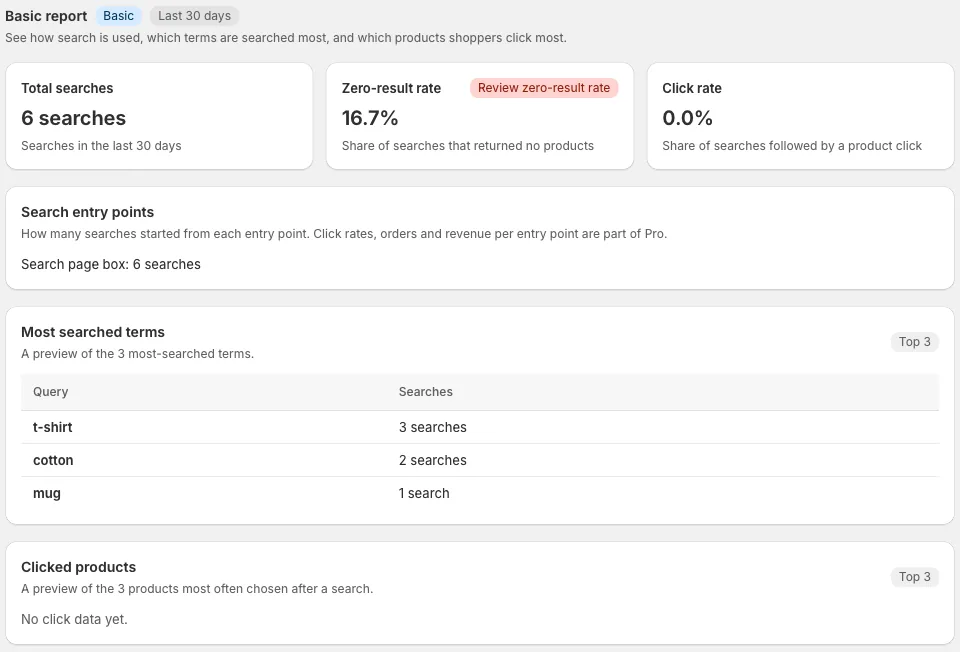
- Total searches: How many times shoppers searched your store
- Zero-result rate: The share of searches that found nothing. If it's high, you can fix it with "Search rules" below
- Click rate: The share of searches after which a shopper chose a product
- Most searched terms and Clicked products: Basic shows the top 3
Pro also shows clicks, orders and sales (reference figures) for each search term, comparisons between periods, and CSV export.
Suggestions (Pro)
The "Suggestions" tab lists possible fixes found in your search data.
- Add synonym: Connects words that say the same thing differently, such as "sneakers" and "trainers", to the same products
- Save redirect: Sends searches such as "shipping" or "returns" to a help page
- Prioritize product: Moves a product that is often bought after that search higher up
- Dismiss: Removes a suggestion you won't act on from the list
Suggestions appear once enough searches have built up. Right after you install the app, there may be none.
Search rules (Pro)
Adjust search results by hand in "Settings → Search rules". On Free and Basic, this tab shows what you can do with Pro.
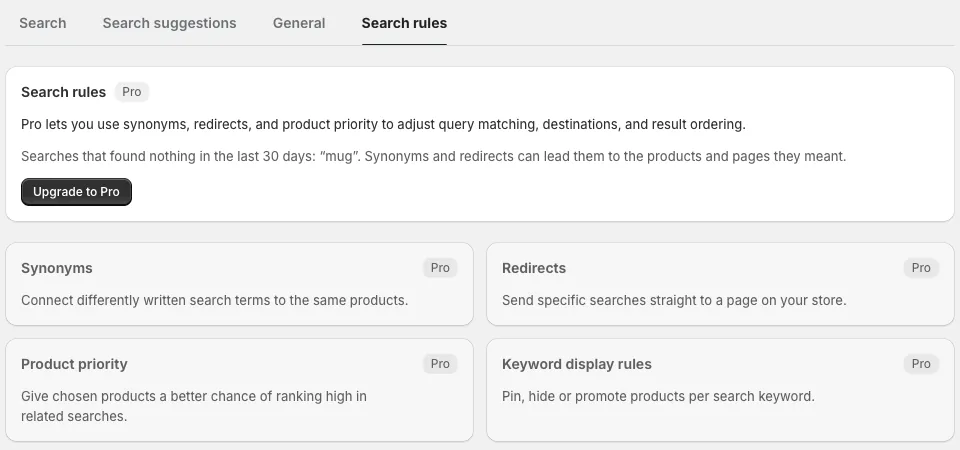
| Rule | What it does | Limit |
|---|---|---|
| Synonyms | Connects search terms written differently to the same products | 1,000 groups |
| Redirects | Sends a specific search term to a page on your store | 50 |
| Product priority | Makes chosen products more likely to rank high in related searches | 200 |
| Keyword display rules | Pins, hides or promotes products for each search term | 300 |
You don't need to register spelling variants
Marutto Search handles hiragana and katakana, full-width and half-width characters, and common typos by itself. Only words said in a completely different way need to be registered as synonyms.
Changes to synonyms, redirects and product priority are kept in the "Change history". You can take a change back with "Undo" in the history.
Next: 5. Get started with reviews. How to start showing reviews and taking new ones.